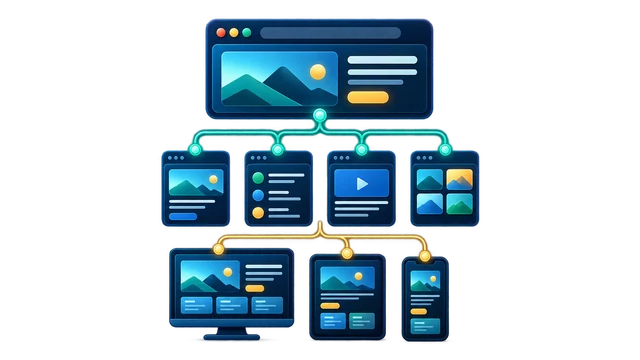
Pages, navigation, and responsive behavior
Check the important routes, menus, buttons, layouts, breakpoints, 404 behavior, and the paths a real visitor needs to complete.
 The Web Guy
 AI-built website cleanup
Direct help from a developer
AI built your website, or helped you build it, and now you need to know what actually works. The Web Guy checks AI-created websites for broken layouts, forms, tracking, search basics, integrations, performance, deployment risk, and maintainability, then can clean up the agreed problems without automatically rebuilding everything.
Free quote. Scope and cost agreed before paid work begins.
AI-built website cleanup fit
This is for site owners, founders, marketers, agencies, and builders who used AI to move faster but now need a real web developer to review the output, fix the fragile parts, connect missing systems, and make the site safer to launch or keep editing.
Send the URL and tell me about pages, navigation, and responsive behavior. Include what should happen instead and any deadline or recent change that matters.
Check My AI-Built Site→An AI-built website checker should separate review from implementation. For a scoped pre-launch findings pass, start with AI Website QA. Cleanup work often starts with Website Fixes, then pulls in Production Debugging, Analytics & Tracking, or API & Integrations depending on what the generated site skipped.
If the AI-generated page looks close but is not launch-ready, compare Technical SEO Implementation, Site Speed, and Cloudflare / DNS / SSL before pushing more changes blindly.
When this work starts from a visible symptom, the troubleshooting path may look more like AI-built website not ready to launch, CSS and JavaScript website bugs or website data not connecting before it becomes a clean service request.
AI cleanup proof
AI-built site cleanup fits the same production reality as the rest of the site: the output may be close, but forms, routing, SEO, tracking, performance, deployment, and maintainability still need judgment.
Working with AI-generated changes?
Use a focused checkpoint to catch fragile generated code, missed launch details, and repeat failures before the next release.
AI-built website cleanup scope
Check the important routes, menus, buttons, layouts, breakpoints, 404 behavior, and the paths a real visitor needs to complete.

Follow the full path from validation and success states to email, CRM, webhook, database, or another destination instead of stopping at a green message.

Review titles, descriptions, headings, canonicals, schema, sitemap and robots behavior, internal links, crawlable copy, and social sharing metadata.

Look for failed requests, console errors, missing environment variables, local-versus-live differences, redirects, host assumptions, and deployment failures.

Check labels, keyboard flow, focus states, contrast, button behavior, readable structure, dialogs, and practical mobile usability.

Identify oversized assets, duplicate code, risky generated snippets, exposed values, brittle dependencies, and structures that make the next edit unnecessarily dangerous.
AI-built website cleanup scope
Generated themes, page-builder output, custom snippets, plugin interactions, forms, templates, and WordPress sites that became fragile after repeated prompted edits.
Generated Liquid, theme sections, product and collection templates, storefront scripts, tracking, apps, and conversion paths that need human review.
HTML, CSS, JavaScript, Svelte, React, static sites, and repository-based projects that are close but need debugging, structure, testing, or launch cleanup.
Generated apps and prototypes with routing, auth, database, API, environment, deployment, or maintainability gaps.
Landing pages and service pages that look polished but still need accessible interactions, lead-flow checks, analytics, metadata, schema, and real responsive QA.
Established WordPress, Shopify, ecommerce, or custom sites where an AI-generated feature or code change needs to fit the system already in production.
AI-built website cleanup scope
 01 / 12
AI-built site cleanup focus
A page can look finished on one screen and fall apart on another. Conflicting styles can leave text overlapping, images distorted, or important controls outside the visible area.
The repair focuses on readable content and usable controls across the screen sizes and states tested.
AI-built website cleanup tasks
The page appears polished, but routing, forms, tracking, metadata, hosting, or environment variables are incomplete.
Local preview works, then deployment fails because build settings, env vars, API URLs, redirects, or host assumptions are wrong.
Generated forms may validate in the UI but fail email delivery, CRM handoff, webhook payloads, spam protection, or success-state tracking.
AI-generated code can mix client-side assumptions, missing error handling, exposed values, or incomplete endpoint behavior.
Generated pages often skip useful titles, descriptions, canonical behavior, schema, sitemap routes, internal links, headings, and crawlable content.
Prompted edits can duplicate components, create dead files, add conflicting styles, and make future updates riskier than they need to be.
Where human review matters
AI tools are useful for momentum, prototypes, landing pages, and fast builds. Production cleanup tests the assumptions that generated output leaves behind.
Keep the useful momentum. Replace untested assumptions with evidence and a safer release path.
Built across different stacks
The useful question is not which logo made the first draft. It is which layers now need to work together.
This is practical cleanup for AI-assisted website work, not official platform support or a partnership claim.
A useful first message
You do not need to diagnose everything first. A useful handoff gives enough context to reproduce the problem and choose the safest first step.
The page or route where the problem is visible.
What a visitor, editor, or connected system should be able to do.
What happens instead, including screenshots or error text if useful.
Repo or builder link, the AI tool used, and the platform or framework.
Anything known about hosting, deployment, environment values, or recent changes.
AI-built website cleanup in practice
A useful request starts with what is happening. The investigation finds the responsible layer before the repair is agreed and tested.
Recent changes, server and PHP errors, browser console and network failures, plugin or theme interactions, cache layers, hosting behavior, and external integrations, as relevant to the symptom.
Each step narrows uncertainty before more changes are made.
A diagnosis, the agreed changes, verification results, unresolved dependencies, and a plain completion note that explains what changed and what still needs attention.
The affected URL, expected versus actual behavior, when it started, recent changes, a screenshot or screen recording, and whether admin or hosting access still works.
Relevant Web Fixes
A related work note that shows the problem, the change made, and what was checked afterward.
AI-built website cleanup fit and limits
This is practical contract execution. The Web Guy can inspect the site, make changes, troubleshoot issues, explain tradeoffs, and keep work moving. Some problems depend on hosting, platform limits, third-party tools, access, business requirements, or existing code quality.
Send the URL and tell me about pages, navigation, and responsive behavior. Include what should happen instead and any deadline or recent change that matters.
FAQ
A useful check follows the important user paths and looks at responsive layouts, navigation, forms and lead delivery, browser errors, tracking, search basics, accessibility, performance, integrations, deployment behavior, and maintainability. The exact checklist should match the site and the agreed scope.
The first quote is free. Send the public URL and describe what concerns you. I can use that context to scope the work, but a detailed audit, repository review, private-system check, or hands-on diagnosis is paid work only after we agree on the scope and cost.
Yes. AI-assisted sites can be reviewed and cleaned up when the URL, repo, generated files, or builder context are available.
Yes. The review can cover generated theme or plugin code, page-builder output, custom snippets, forms, templates, responsive behavior, performance, SEO basics, and conflicts with the existing WordPress setup.
Yes. Shopify work can include generated Liquid, theme sections, storefront scripts, product and collection templates, tracking, app interactions, responsive issues, and conversion-path cleanup.
Yes. These are common AI-built website examples. The work can include layout fixes, routing, deployment, auth, forms, tracking, SEO basics, API or database connections, and maintainability improvements.
Send the URL, repo or builder link if available, what tool helped build it, what should happen, what is happening instead, and any deployment or environment notes.
Often, yes. Generated sites can carry oversized assets, duplicate scripts, unused code, layout shift, and bundle weight that can be reviewed and cleaned up.
Yes. GA4/GTM tracking, form flow, metadata, schema, sitemap support, robots rules, internal links, and launch checks are common cleanup tasks.
Yes. You do not need to diagnose the code first. Send what you have and the visible problem, and the first step is to identify the safest cleanup path.
Not by default. The first move is to inspect what exists, keep what is useful, and clean up the parts that are fragile, missing, broken, or risky.